
Pros
- Place and manage real orders directly from the TradingView chart without switching platforms
- Positions, open orders, and P&L display natively on the chart in real time
- Strong non-US crypto options available — Bybit and Kraken both offer live integrations
- Forex and CFD traders have deep order type support via Pepperstone and OANDA
- Broad regional coverage across integrations, particularly for European and global traders
Cons
- US-based traders face significant restrictions on both crypto and CFD integrations — availability must be verified before assuming live access
- Paper trading and live trading look nearly identical at setup, making it easy to trade in simulation mode without realising it
- Live trading requires a funded account, correct API permissions, and regional eligibility — not just a TradingView account
- Most guides and tutorials fail to distinguish between paper mode and genuine live broker connections
Claim Exclusive Trading Bonuses
- 0% maker fees on top exchanges
- Up to 400x leverage
- No-KYC required
- Exclusive sign-up bonuses
Trusted by pro traders securing VIP fee tiers via Trading365
Verdict
TradingView supports direct, chart-native live trading with a select group of exchanges and brokers — but most users setting this up for the first time hit the same wall: they're trading in paper mode without realising it. For crypto traders outside the US, Bybit and Kraken are the strongest live integrations available today. For forex and CFDs, Pepperstone and OANDA lead on order type depth and regional coverage. US-based traders face the most restrictions — both on crypto and CFD side — and need to verify availability before assuming any integration works live.
Sign up to Bybit and connect your TradingView accountVerified
---
What "Direct Trading on TradingView" Actually Means
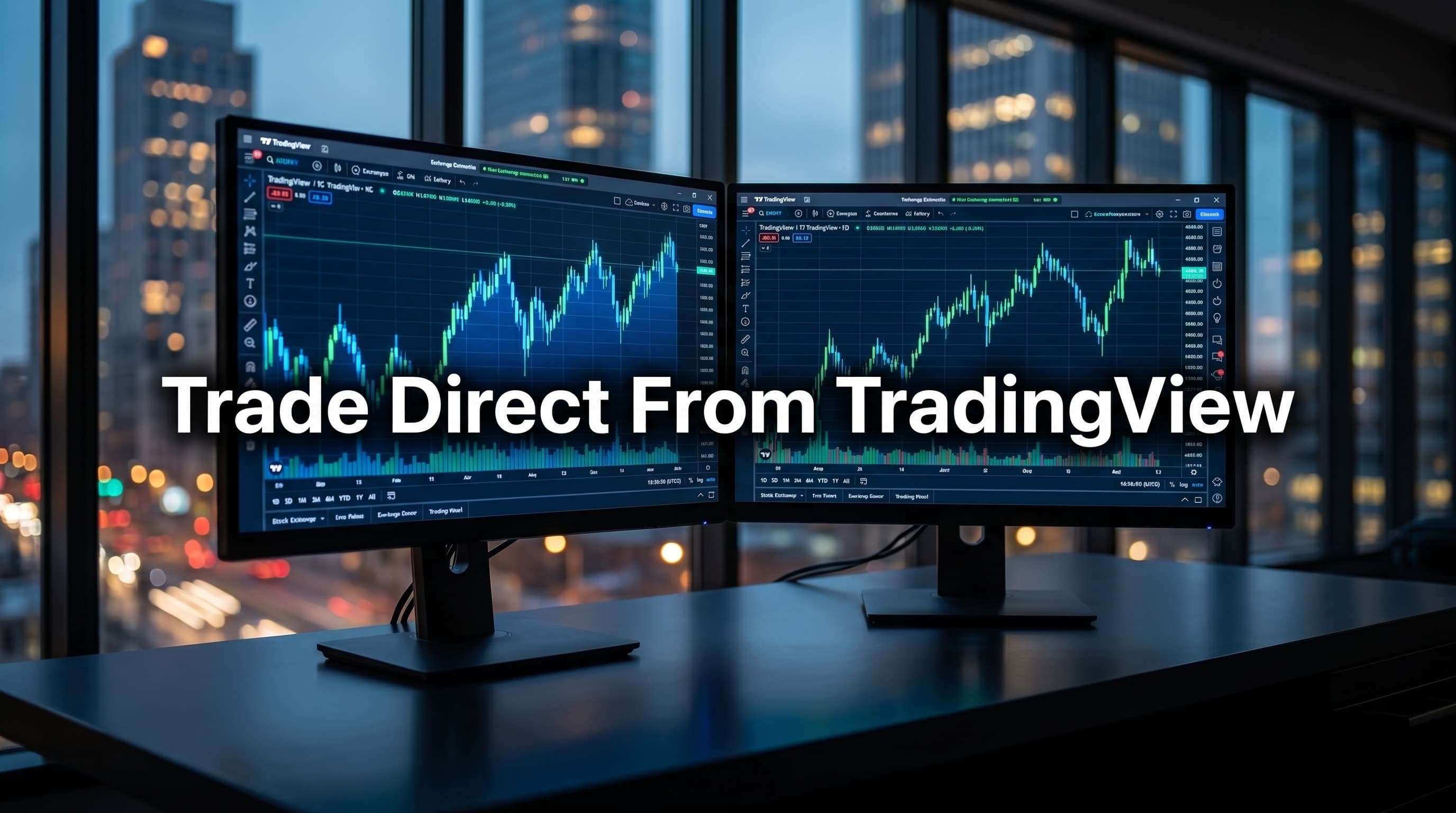
Direct trading on TradingView means placing real orders from inside the chart interface — using the native order panel that appears at the bottom of your screen — without being redirected to the exchange's own platform. You see your positions, open orders, and P&L directly on the chart. That's what "connected" actually means.
Here's where most guides fail to tell you something critical: paper trading is available to almost anyone through TradingView's built-in simulated broker. Live trading — with real money, through a real exchange or broker — is a separate integration that requires a funded account on a supported platform, correct API permissions, and in many cases, regional eligibility. These are not the same thing. If you set up a connection and see orders executing instantly with no slippage and no confirmation delays, you are almost certainly in paper mode.
The technical mechanism is a broker API bridge. Your exchange or broker exposes an API endpoint that TradingView calls when you submit an order from the chart panel. This is not zero-latency. There is a round-trip: chart → TradingView server → broker API → exchange matching engine → confirmation back. For most retail traders, this adds negligible delay. For high-frequency or scalping strategies, it matters, and you should be trading natively on the exchange instead.
---
Full Exchange and Broker List by Asset Class
Crypto Exchanges
| Exchange | Live Trading | Paper Trading | Regions | Order Types |
|---|---|---|---|---|
| BybitVerified | ✅ | ✅ | Global (excl. US, UK restricted) | Market, Limit, Stop, Conditional |
| Kraken | ✅ | ✅ | US, EU, UK, Global | Market, Limit, Stop-Loss, Take-Profit |
| Binance | ✅ | ✅ | Global (excl. US) | Market, Limit, Stop |
| Coinbase Advanced | ✅ | ❌ | US, EU, UK | Market, Limit |
| Gemini | ✅ | ❌ | US, select EU | Market, Limit |
| OKX | ✅ | ✅ | Global (excl. US) | Market, Limit, Stop, OCO |
| BingX | ✅ | ✅ | Global (excl. US) | Market, Limit, Stop |
| Bitget | ✅ | ✅ | Global (excl. US) | Market, Limit, Stop |
| BTCC | ✅ | ❌ | Global (excl. US) | Market, Limit |
| Gate | ✅ | ✅ | Global (excl. US) | Market, Limit, Stop |
| BitMEX | ✅ | ❌ | Global (excl. US, UK restricted) | Market, Limit, Stop |
| CoinW | ✅ | ❌ | Global (excl. US) | Market, Limit |
| Bitstamp | ✅ | ❌ | US, EU, UK, Global | Market, Limit |
Note on Binance: The integration exists but has had repeated instability reports. Orders occasionally fail silently — meaning the chart shows a submission but the order never reaches the exchange. Check your Binance order history directly after placing any order via TradingView until you've confirmed reliability on your account.
Note on smaller exchanges: BingX, Bitget, BTCC, Gate, BitMEX, CoinW, and Bitstamp are listed as supported on TradingView but have less documented track records for integration stability compared to the top-tier options. Verify current availability and test with small orders before committing real capital. Always check tradingview.com/brokers for the latest status.
Forex and CFD Brokers
| Broker | Live Trading | Paper Trading | Regions | Order Types |
|---|---|---|---|---|
| Pepperstone | ✅ | ✅ | UK, EU, AU, Global | Market, Limit, Stop, OCO, Trailing Stop |
| OANDA | ✅ | ✅ | US, UK, EU, AU, Global | Market, Limit, Stop, Trailing Stop |
| Capital.com | ✅ | ✅ | UK, EU, Global (excl. US) | Market, Limit, Stop |
| IC Markets | ✅ | ✅ | AU, EU, Global (excl. US, UK) | Market, Limit, Stop |
| Forex.com | ✅ | ✅ | US, UK, EU | Market, Limit, Stop |
| Interactive Brokers | ✅ | ✅ | US, UK, EU, Global | Full suite including options |
Futures and Stock Brokers
| Broker | Live Trading | Paper Trading | Regions | Asset Focus |
|---|---|---|---|---|
| TradeStation | ✅ | ✅ | US | Stocks, Futures, Options |
| Ironbeam | ✅ | ✅ | US | Futures |
| Alpaca | ✅ | ✅ | US | Stocks, ETFs |
| tastytrade | ✅ | ❌ | US | Stocks, Options, Futures |
---
Regional Restrictions — What's Actually Available to You
This is the section every other guide ignores, and it's where most users waste the most time.
US traders have the narrowest set of working integrations. Most offshore crypto exchanges — Bybit, OKX, Binance Global — are not legally available to US residents, which means their TradingView integrations are also blocked or non-functional from US IPs. For crypto, Kraken, Coinbase Advanced, and Gemini are the realistic options. For forex and derivatives, OANDA and Forex.com are the main regulated choices. Interactive Brokers works for stocks and futures. Pepperstone and IC Markets do not accept US clients — full stop.
UK traders have access to Pepperstone and Capital.com under FCA authorisation. Bybit operates in the UK but under restrictions — spot trading is available, but derivatives access depends on account type and verification status. Binance's UK operations are limited following FCA intervention. Kraken is available. Bitstamp is also available to UK users and is one of the longer-standing regulated options. For forex CFDs, FCA-regulated brokers on the TradingView list are the safe path.
EU traders face ESMA leverage caps on CFDs (30:1 max on major forex pairs, lower on crypto). Most major forex brokers on TradingView's list support EU clients. Crypto derivatives are more restricted — check whether your country has additional national-level rules on top of ESMA baseline.
Stop the Fee Drain
High-volume traders are losing ~$2,000/mo on taker fees. Zero-fee structures exist — most traders just don't know how to access them.
Start Saving NowGlobal traders (Southeast Asia, LATAM, MENA, non-restricted regions) have the most options. Bybit and OKX both integrate well, and BingX, Bitget, and Gate are also worth considering for traders in these regions where they have a stronger user base. Pepperstone accepts clients from most of these regions.
One specific friction point worth calling out: TradingView's broker dropdown menu does not filter by your location. You can select a broker, begin the connection process, and only discover during account linking — or worse, after depositing — that the broker doesn't serve your region. Always verify on the broker's own site before going through the connection steps.
---
Execution Reality: Trading Through TradingView vs Native Interface
The TradingView panel is convenient. It is not always optimal. Here's what you need to know before deciding whether to trade from the chart or the exchange directly:
- Latency: Every order passes through TradingView's server layer before hitting your broker's API. In normal market conditions, the added delay is 100–500ms. During high-volatility events (major news, large liquidations on crypto), that delay can compound with broker-side queue congestion. For swing traders and position traders, this is irrelevant. For high-frequency or scalping strategies, trade natively.
- Order type stripping: Not every order type available on the native exchange appears in the TradingView panel. Bybit's native interface offers conditional orders with more granular trigger options than what TradingView exposes. OANDA supports trailing stops natively on TV, but some brokers strip this down to market and limit only. Check before assuming full parity.
- Silent failures: Particularly with Binance, there are documented cases of orders showing as "placed" in the TradingView panel while failing to register on the exchange. Always cross-check your exchange order book directly for any live trade that matters.
- Fee transparency: TradingView does not add fees on top of broker fees. You pay exactly what you'd pay trading natively. No routing premium. Confirm this by checking that your fill prices match what you'd expect from the exchange's published maker/taker schedule.
- When to go native: Any strategy involving bracket orders, advanced conditional logic, or high-frequency execution should run on the exchange's own interface or via direct API. TradingView's panel is best suited for discretionary traders who want chart context while managing positions.
---
Setup and Common Connection Problems
Connecting a live account takes three steps:
- Open TradingView, click the "Trading Panel" button at the bottom of any chart. Select your broker or exchange from the list.
- You'll be redirected to the broker's site to authorise the connection — this creates an API bridge using OAuth or a manual API key, depending on the broker.
- Return to TradingView. The panel activates at the bottom of the chart. Your account balance, positions, and order entry fields appear.
That's the clean version. Here's what actually goes wrong:
API key scope errors are the most common problem with crypto exchanges. When Bybit or Kraken asks which permissions to grant the API key, many users select read-only by default. The connection appears to succeed — you can see your balance — but order placement fails with a permissions error. You need to explicitly enable trading permissions during API key creation.
Re-authentication loops happen most often with brokers using OAuth (Pepperstone, OANDA). The session token expires and TradingView prompts you to reconnect, sometimes mid-session. Fix: re-authorise through the trading panel's broker settings, not by refreshing the page.
Orders failing silently — this is specific to Binance and occasionally OKX. The TradingView panel returns a success confirmation but the order does not appear on the exchange. Root cause is usually an API weight limit being hit during high-traffic periods. Solution: reduce order frequency, or trade these exchanges natively during volatile sessions.
Stop the Fee Drain
High-volume traders are losing ~$2,000/mo on taker fees. Zero-fee structures exist — most traders just don't know how to access them.
Start Saving NowBroker shows connected but balance is zero — usually means you've connected to the wrong account type (e.g. linked a spot wallet when trying to trade futures). Disconnect, re-link with the correct sub-account selected.
If the integration breaks for no apparent reason, check TradingView's broker status page at tradingview.com/broker-status — outages are listed there before any support ticket gets a response.
---
Our Experience
We've tested TradingView's live trading integrations across Bybit, Kraken, Pepperstone, and OANDA over an extended period, specifically to verify what actually works versus what's listed as "supported."
Bybit is the standout for crypto. Connection takes under five minutes if you get the API permissions right on the first attempt. Order placement is fast — in our tests, limit orders on BTCUSDT perpetual confirmed within one to two seconds under normal conditions. The chart-native panel shows unrealised PnL and open positions cleanly, and conditional orders work as expected. One friction point: if you have both a spot and derivatives account on Bybit, you need to specify which during the API setup or you'll connect to the wrong wallet.
Pepperstone was equally clean on the forex side. We placed a EURUSD limit order via the TradingView panel and had it fill and appear in Pepperstone's own portal within three seconds. Trailing stops are available directly in the TV panel, which removes one reason to log into Pepperstone's native interface at all.
The one integration we'd warn users away from for live trading specifically is Binance. We experienced two silent order failures across a week of testing — the TV panel showed a green confirmation, but nothing appeared in Binance's order history. That's an unacceptable failure mode for live capital. Use Binance natively or not at all for order execution.
---
Head-to-Head: Best Option by Trader Type
| Trader Type | Best Integration | Why |
|---|---|---|
| Crypto active trader (non-US) | BybitVerified | Stable connection, full order type support in TV panel, derivatives depth |
| Crypto trader (US) | Kraken | Regulated US availability, live TV integration, spot and futures |
| Forex retail (UK/EU/AU) | Pepperstone | Full order suite in TV panel, low spread, FCA/ASIC regulated |
| Forex retail (US) | OANDA | US-regulated, reliable TV integration, trailing stops supported |
| Stocks and futures (US) | Interactive Brokers | Broadest instrument access, stable API bridge, professional-grade |
| Paper trading or learning | Any supported broker | Use TV's built-in simulated broker — no account needed |
| High-frequency or scalping | None via TradingView | Trade natively on your exchange — the API bridge adds latency |
---
Final Verdict
For crypto traders outside the US, Bybit is the clearest choice for live TradingView integration — stable, full-featured, and fast. US crypto traders should go with Kraken. For forex and CFDs, Pepperstone wins for most non-US users; OANDA is the correct answer for US residents. Stocks and futures point to Interactive Brokers without much debate. Exchanges like BingX, Bitget, Gate, BitMEX, CoinW, Bitstamp, and BTCC are also listed as supported and may suit traders who already hold accounts on those platforms, though integration quality varies and should be tested carefully before live use.
Before you spend time setting anything up: confirm you're not in paper mode. The TradingView panel looks identical whether you're trading real funds or simulated ones. Fund your account, check that your balance appears in the panel, and place a small test order — then verify it shows in your exchange's own order history. If it doesn't, you have a connection problem, not a trading problem.
TradingView's supported broker list changes. Brokers are added and removed based on partnership agreements, regulatory shifts, and technical issues. The canonical, always-current list lives at tradingview.com/brokers — bookmark it and check it if something stops working.
Connect your Bybit account to TradingView and start trading from the chartVerified
Ready to Act on the Research?
- 0% maker fees on top exchanges
- Up to 400x leverage
- No-KYC required
- Exclusive sign-up bonuses
Trusted by pro traders securing VIP fee tiers via Trading365
Frequently Asked Questions
Which crypto exchanges connect directly to TradingView for live trading?+
Bybit and Kraken are the strongest live crypto integrations on TradingView for traders outside the US. Both allow real order placement from within the chart interface. US-based traders face additional restrictions and should verify availability before setting up a connection.
How do I know if I'm trading live on TradingView or just using paper mode?+
If your orders execute instantly with no slippage and no confirmation delays, you are almost certainly in paper mode. Live trading requires a funded account on a supported exchange, correctly configured API permissions, and regional eligibility — simply connecting an account does not guarantee live execution.
What brokers support TradingView direct trading for forex and CFDs?+
Pepperstone and OANDA are the leading integrations for forex and CFD traders on TradingView, offering strong order type depth and broad regional coverage. They support the native TradingView order panel, meaning you can trade without leaving the chart.
Can US traders use TradingView's live trading integrations?+
US-based traders face the most restrictions of any region, on both the crypto and CFD side. You should not assume any integration works live in the US without explicitly verifying availability. Some platforms that work for European or global users are not available to US residents.
What is the technical mechanism behind TradingView's direct trading feature?+
TradingView uses a broker API bridge to connect to supported exchanges and brokers. When you submit an order from the chart panel, TradingView calls an API endpoint exposed by your broker or exchange. This is what enables positions and P&L to display natively inside the chart.
Do I need a separate account to trade live on TradingView?+
Yes. Live trading on TradingView requires a funded account on a supported exchange or broker — a TradingView account alone is not sufficient. You also need to set up the correct API permissions on the exchange side and confirm you meet regional eligibility requirements.
Is Bybit the best exchange to use with TradingView?+
For crypto traders outside the US, Bybit is rated as one of the two strongest live TradingView integrations currently available, alongside Kraken. The best choice depends on your region, the assets you want to trade, and whether you need spot or derivatives access.
Related Articles
What Is Prop Funding in Crypto? How It Works, Risks & Red Flags
A crypto prop firm is a company that sells trading challenges: traders pay upfront fees to prove their skills on simulated accounts, with a small percentage receiving profit-sharing "funded"…
How to Read an Order Book: A Beginner's Guide to Crypto Market Depth
Reading an order book lets you see exactly where supply and demand meet in real time. You'll learn to interpret bid and ask prices, calculate the spread, and as
Best Crypto Exchange for Day Trading: Top Platforms Ranked for Speed, Fees & Liquidity
Day trading crypto demands tight spreads, fast execution, and reliable uptime—small inefficiencies compound into significant costs across hundreds of trades. Th
💰 Stop Donating Profits to Exchanges
You've seen the math. High-volume traders save $2,000+ monthly just by choosing the right partner tiers. We've pre-negotiated exclusive bonuses, maker rebates, and VIP fast-tracks across the top 2026 exchanges.